AI-Assisted Development for Spektralwerk Spectrometers
Many companies have restrictions on the use of cloud-based AI service providers such as Anthropic or OpenAI, and not without reason. Customers require confidentiality agreements, and with the frequently changing terms and conditions of AI providers, today's promise not to use one's own data may not hold much value tomorrow. Furthermore, especially when using more autonomous agents that have full access to local data, the risk of accidentally disclosing sensitive data further increases.
Local AI setups with freely usable LLMs such as Qwen, GLM, or MiniMax are now practical alternatives. However, they have one limitation compared to Claude and Codex: the available context is smaller. The context of a language model is roughly its working memory; it contains both the task description and relevant information such as the source code to be processed - and also the necessary documentation. The limitation on context size is simply due to the system's available memory - hosted models in the data center typically have more RAM available than the workstation under your desk. Additionally, the models themselves must have been trained to handle large contexts.
At the time of writing this text, Anthropic's Claude and OpenAI's Codex offer a context of up to 1 million tokens (approximately 500,000 words), while free models currently typically remember 256,000 tokens (approximately 130,000 words) simultaneously. This sounds very large at first glance. However, if the LLM has run the first correction loops over a larger codebase, the space can become tight faster than expected.
Complicating matters further, local models are smaller, and their inherent knowledge is necessarily smaller as well. While Claude may know all the tricks for working with SCPI interfaces, for example, the local model may need to be given a bit more guidance.
MCP Server: Flexibly Extending Local AI Capabilities
For this reason, Silicann now offers an MCP server for AI-based work with the Spektralwerk API. MCP (Model Context Protocol) is a simple interface that enables LLMs to use external knowledge and access external applications. The Spektralwerk MCP server not only provides the complete API documentation for Spektralwerk, but also includes hints on using SCPI, some technical terms, as well as a complete list of error codes that the model might encounter.
In our internal tests, local models without particularly deep SCPI knowledge were thus able to write applications that use the Spektralwerk API. This knowledge is provided on demand and thus token-efficient: when the spectrometer returns a specific error code, the model only needs to query that code, instead of sifting through a document with all possible errors. In this way, models can flexibly obtain exactly the information they need for their current task. This benefits not only local AIs but also setups that rely on Claude or Codex.
Setting Up the Spektralwerk API MCP Server
MCP servers can be made accessible via various transport mechanisms. The Spektralwerk documentation is provided via Streamable HTTP at silicann.com. In this way, users only need to enter the address https://silicann.com/sw15docs/mcp in their AI environment and have immediate access.
Using the MCP Server with llama.cpp
A popular locally used environment with a chat interface is the Web UI that comes directly with the llama.cpp project.
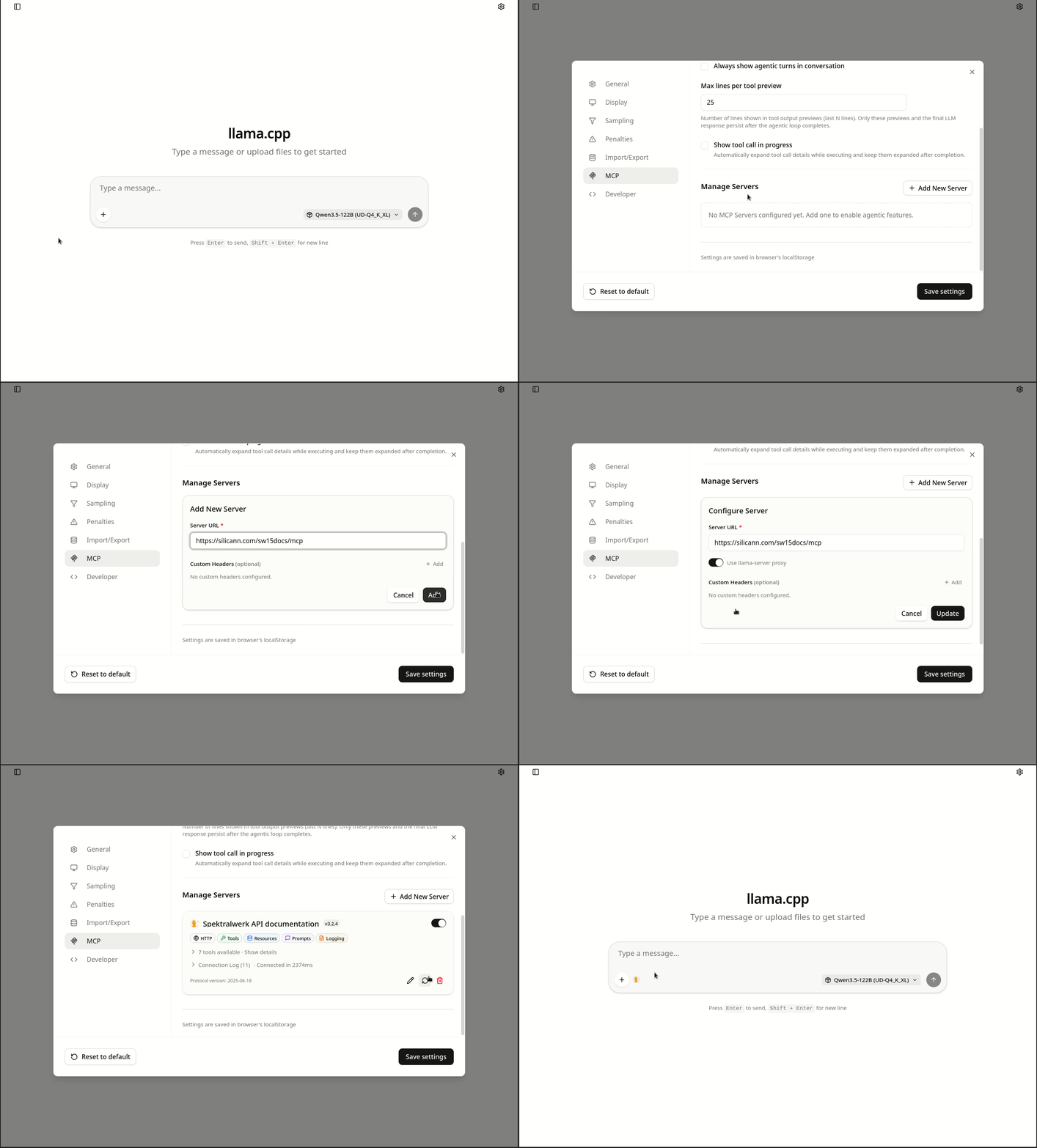
Here, you only need to ensure that llama-server was started with the parameter --webui-mcp-proxy. After that, setup is quite simple:
- In the settings, click on
MCP - Add a new server and enter the URL
https://silicann.com/sw15docs/mcp - Save the entry, then edit the entry again by clicking the pencil icon, activate the option
Use llama-server proxy, and save again.
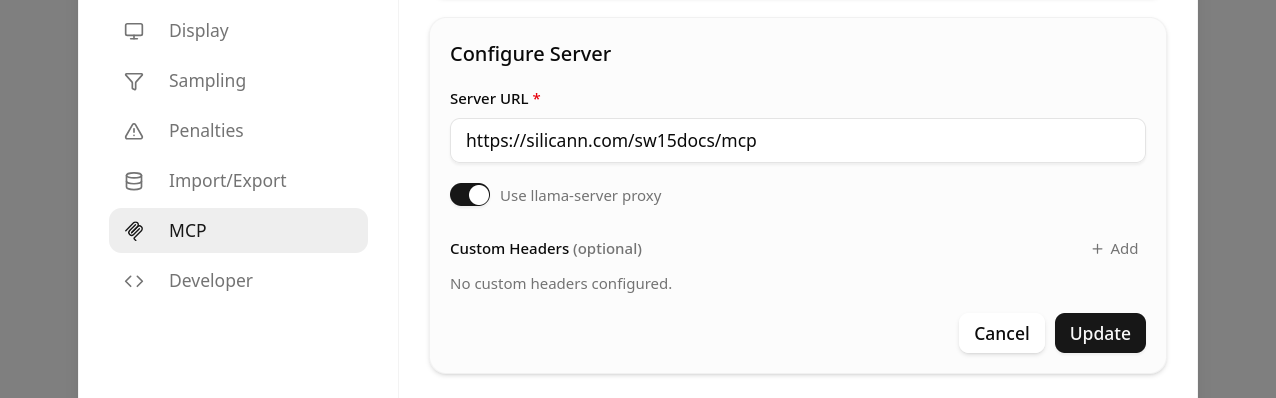
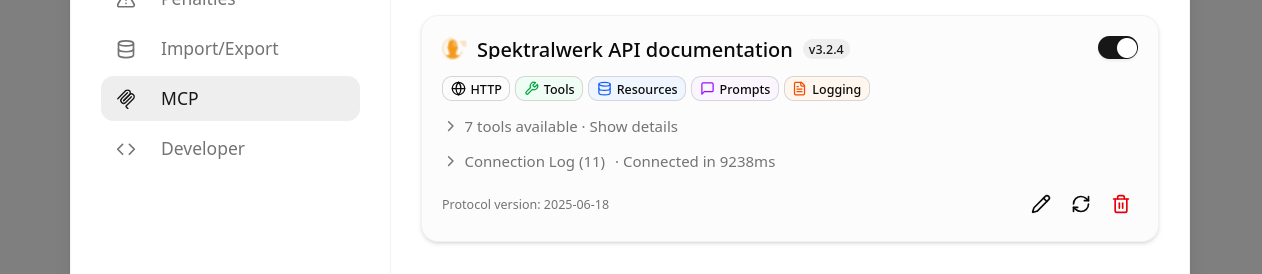
That's it - after successful setup, lama.cpp should access the MCP server and display title, icon, and available tools with which the AI model can access the spectrometer documentation.
One more tip while you already have the settings open: set the Agentic loop max turns to a higher value, e.g., 30. This option limits how often the model may use tools while answering a request before it is stopped by the application. Since in this case we want the LLM to make many small calls instead of loading the full documentation at once, in the interest of context efficiency, this value should be increased accordingly.
After successful setup, the local LLM is then able to access the spectrometer documentation and apply it to solve the task at hand. It should be noted that for this application you need to use language models that support the use of tools. In the model descriptions, this is usually referred to as Tool Use, Tool Calling, or Agentic Use.
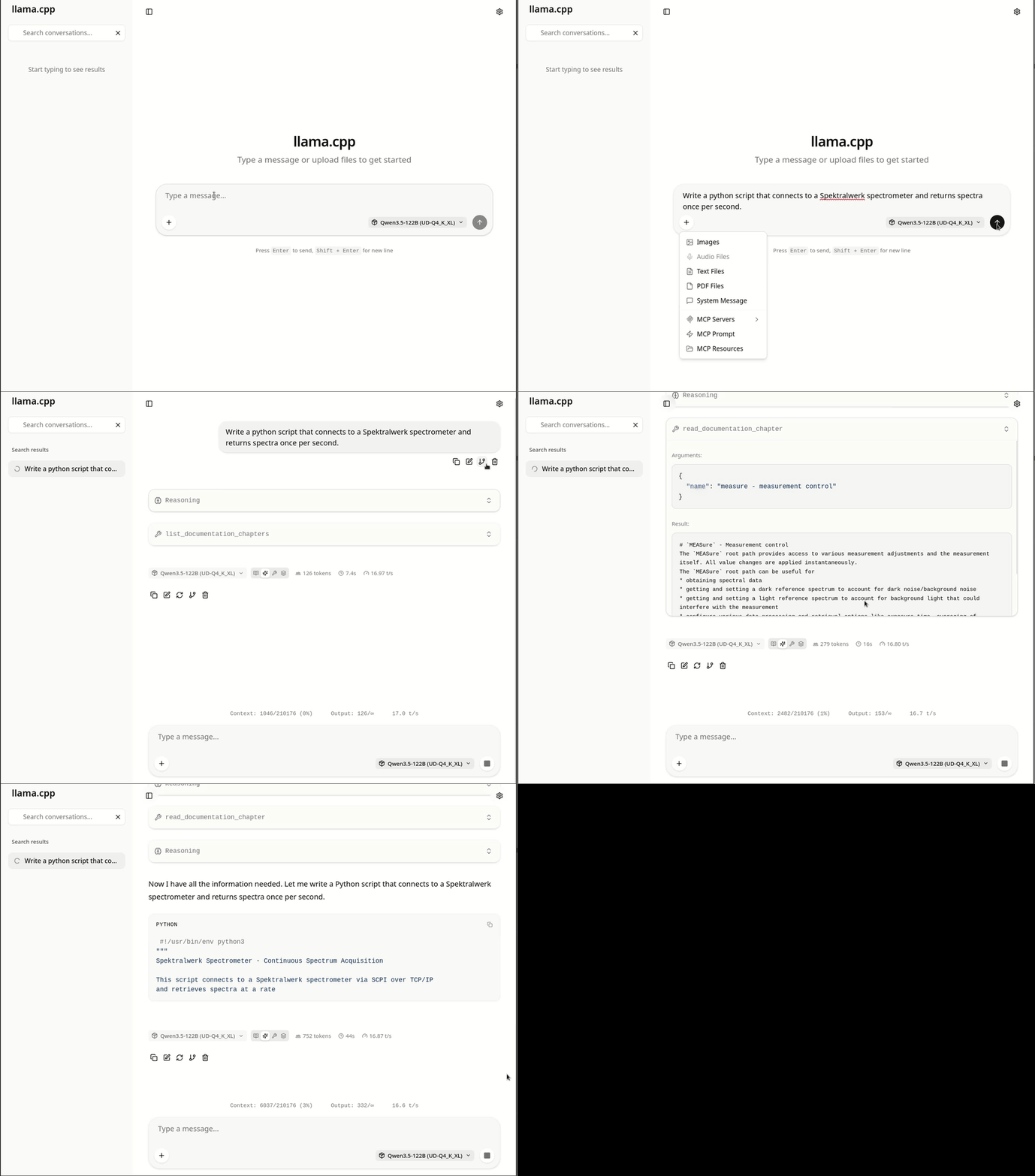
The following example shows how such a model then uses the tools provided by the MCP server to solve the task. First, the model retrieves the table of contents of the spectrometer documentation and then reads individual chapters step by step until it has assembled all the necessary information. In the end, it successfully returns a script that, as requested, can return spectra from a Spektralwerk spectrometer every second.